ConnectingPoints#
In this stage, pose estimation models are used to process the data extracted from the prepared and organized videos after the annotation and preprocessing stage. Three models, namely Mediapipe, OpenPose, and Wholepose, are utilized, which can be used together or independently as required.
For installation instructions for each model, please refer to the “Keypoint estimator models installation” section in the Connecting Points repository.
This documentation specifically explains how ConnectingPoints can be used with the datasets previously worked on, including PUCP305.
The following diagram summarizes this stage, where the expected output is an HDF5 file.
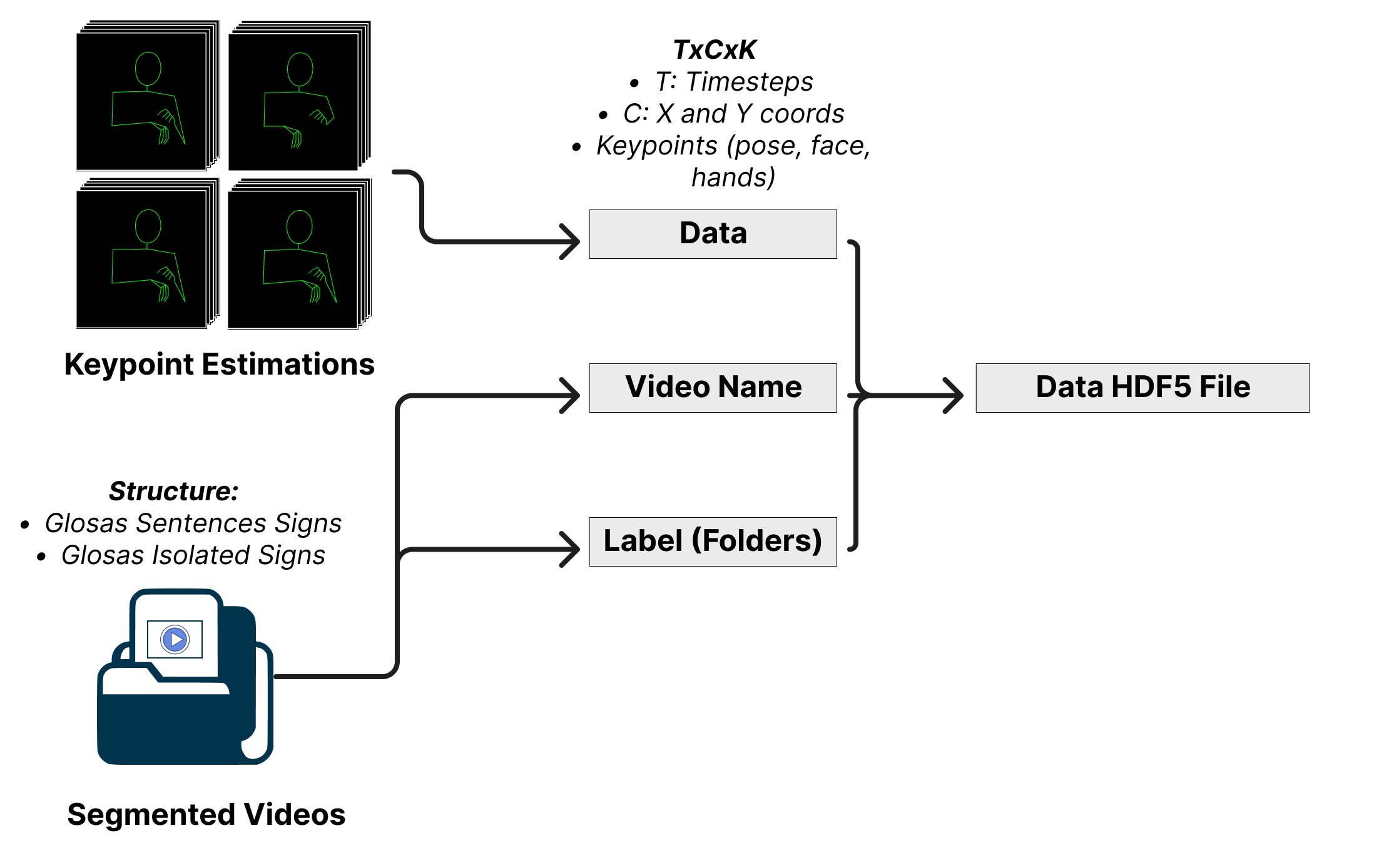
The output of the ConnectingPoints stage will be an HDF5 file (.hdf5) with the following structure:
Each group in the HDF5 file corresponds to an index (e.g., “#1”, “#2”, etc.) and contains the following information:
[“video_name”]: The name of the video, including the relative path starting after the name of the dataset.
[“label”]: The isolated signs shown in the video.
[“data”]: A TxCxK structure, where:
T: The timestep of the video.
C: The x and y coordinates.
K: The keypoints, including “pose”, “face”, “left hand”, and “right hand”.
The output HDF5 file will have separate groups for each keypoint estimator used and each dataset or mix chosen. The user needs to create the “output” folder to store the generated HDF5 files.
The ConnectingPoints stage will process the datasets and keypoints estimators to produce the HDF5 files, which will contain the pose estimation data, video names, and corresponding labels or glosses.
For more details about the implementation of this step, please refer to the Connecting Points repository.